


Introduction
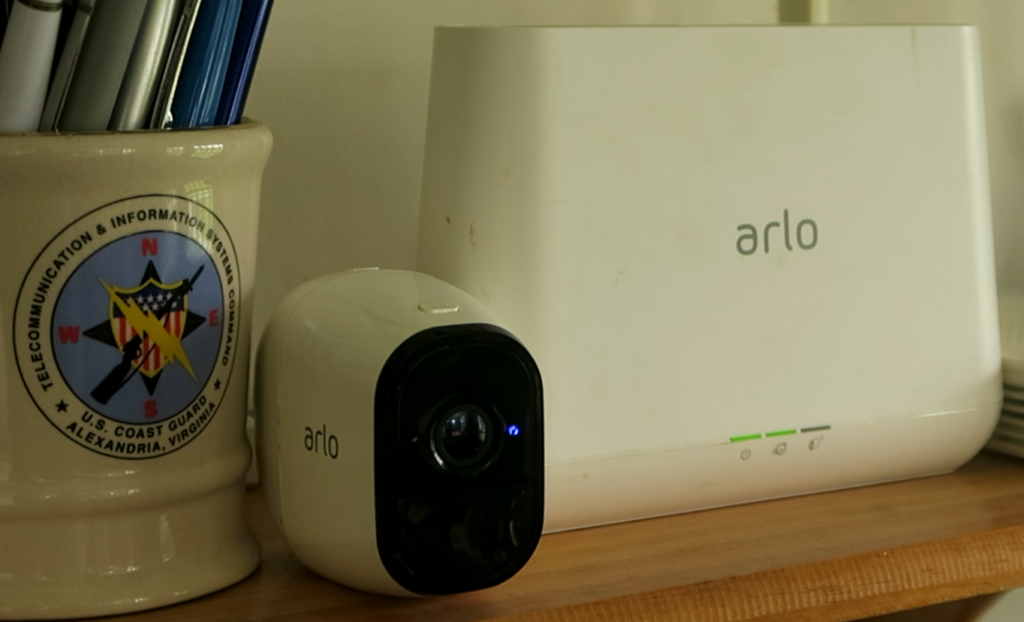
I decided to replace my Arlo cameras today. They did not break; Arlo changed the rules, and some cameras stopped working.
Recently, one of my Arlo cameras stopped appearing in the Arlo app and web dashboard. I replaced the battery, resynced the camera, and the app confirmed it was active.
Then, immediately, the app warned me I had “too many cameras” and I needed a subscription upgrade. This was especially frustrating because Arlo advertises “Unlimited Cameras” for $17.99 on its website for my Plus subscription, yet my account flagged my setup as exceeding the limit.
While I was traveling, another camera powered down when its battery ran low. I swapped the battery and tried to re-sync it; the app said it was paired and ready. But the camera never appeared as an available device.
Arlo’s Message, Buy Expensive new Equipment
After that, I spent hours troubleshooting, online, and on the phone. The Arlo Support Center was less than helpful. I kept running into dead-end conversations, incorrect AI guidance, and scripted responses that couldn’t (or wouldn’t) fix my problem.
After two days, I finally got to speak with a real person. They told me my equipment was classified as “legacy” and was no longer supported.
So I had cameras that worked perfectly, but only as long as the subscription service stayed available. I still had six paid months left, and Arlo essentially withdrew support for my cameras, making the hardware effectively unusable.
Their solution was to replace everything with newer, more expensive gear. And to add insult to injury: no real fix, and no refund for a service I already paid for.
My Setup
My situation is a little unusual, so I’ll explain it briefly.
I’m in the Philippines. I brought my Arlo equipment with me after it was already running smoothly for years. The system worked flawlessly until this recent incident. And to be clear, I did have a couple of issues that weren’t Arlo’s fault.
For example, I added a second hub because my home layout affected the Wi‑Fi signal. With hubs on different floors, every camera had a stronger connection. So this wasn’t me installing it wrong or ignoring obvious problems. The hardware worked, the service side changed.
I also have a Rover setup, which is older and still uses coax. I want to replace that too, but Arlo is the priority for now.
I Actually Like the Hardware
I’m not blaming Arlo cameras for failing mechanically.
I’ve had cameras last for years. The few I lost were from real-world damage. For example, a camera in a greenhouse that got knocked around during renovations. And my doorbell camera needed better placement because the signal at the gate was weak compared to where it was originally installed.
So the equipment itself is fine. The problem is what happened afterward, when Arlo changed their policy and rules.
The Subscription Problem
Here’s the core issue as I experienced it. Arlo Pro and Arlo Pro 2 cameras don’t have meaningful internal storage, and there’s no reliable local option like microSD card slots on the camera. Technically you can connect a USB drive to the VMB4000 base station, but the base records video only from cameras that are recognized by the Arlo system, so unrecognized cameras won’t record to the USB port.
The problem is not that my internet does not work. Rather, Arlo changed their policies: they stopped supporting older (“legacy”) equipment. While my VMB4000 base station recognizes the camera locally, the camera is never recognized in the Arlo App/Web page. So even though my subscription was paid and the cameras could be paired again, Arlo’s service still wouldn’t treat the legacy devices as available/usable in the account.
In practice, connectivity problems are manageable when the camera remains supported, but when support is withdrawn, reconnecting doesn’t restore functionality. The cameras essentially become dead weight, with no reliable way to get them back into the system and regain access to footage.
For anyone experiencing problems with older Arlo equipment, please refer to their End of Life page at https://kb.arlo.com/000063018/End-of-Life-for-Arlo-Devices-and-Services.
My Response
So the solution is simple: replace Arlo.
But I’m not switching blindly; I’m setting requirements for what I need next. My replacement cameras must have:
- Local storage options, not reliant on off site services
- Remote access via web or app, even behind CGNAT (no public IP address)
- One unified system for all my cameras (right now I have Arlo and Rover)
- Standard access/protocol support (so I can keep using the footage and control the cameras even if a vendor changes direction)
- A good lineup of camera types at reasonable prices
- Reliable performance and warranty support locally
And whatever I pick next, I need an exit path where I can switch systems without losing recorded footage.
The Plan
Since I already have two Arlo cameras that are essentially unusable now, I’m starting small.
I will pick two indoor locations, where power is available. That keeps things simple, and it avoids adding another failure mode right now—especially since the local-storage limitation is the core issue for me.
I’m repositioning any Arlo cameras that still work to cover the gaps, and then adding two non-Arlo cameras.
I want to test the setup for reliable local recording, and web/app viewing behind CGNAT. If the test goes well, I plan to systematically replace all my Arlo equipment over the next six months, after which my Arlo subscription expires. For now, the functioning Arlo cameras can still rely on cloud storage; at least until they fail to reconnect. If this works out, I’ll replace my external Rover cameras next.
I’ll be honest: the install is more complex than the Arlo magnetic mount. Let me give an example for one of the cameras I am currently looking at. The Tapo C230 needs to be installed vertically, so needs a wall-mount bracket instead of relying on the simple mount. I’ll run power using adhesive raceways to keep the wiring clean, and I may need a short extension if cord length is tight.
Roughly, the cost per camera (including extras) is about $35 USD. The closest Arlo replacement, the Arlo Essential Pan & Tilt, weighs in at about $60 USD, not including a wall bracket, raceways, or power cord extensions, and it would keep me stuck behind Arlo’s paywall.
Epilogue
So that’s the planning phase: indoor cameras, proper mounts, local storage, and standard access.
Next step will be the actual install, followed by a real evaluation period.
I’ll post another article soon covering the installation. After I test everything for a while, I’ll share what worked, what didn’t, and whether the new setup holds up better than Arlo did.
If you’ve had a similar experience with Arlo (or another brand), leave a comment with what happened. And if you want, I’ll also share the full checklist I’m using to choose the next cameras.ARLO Repent in Peace
Leave a Reply